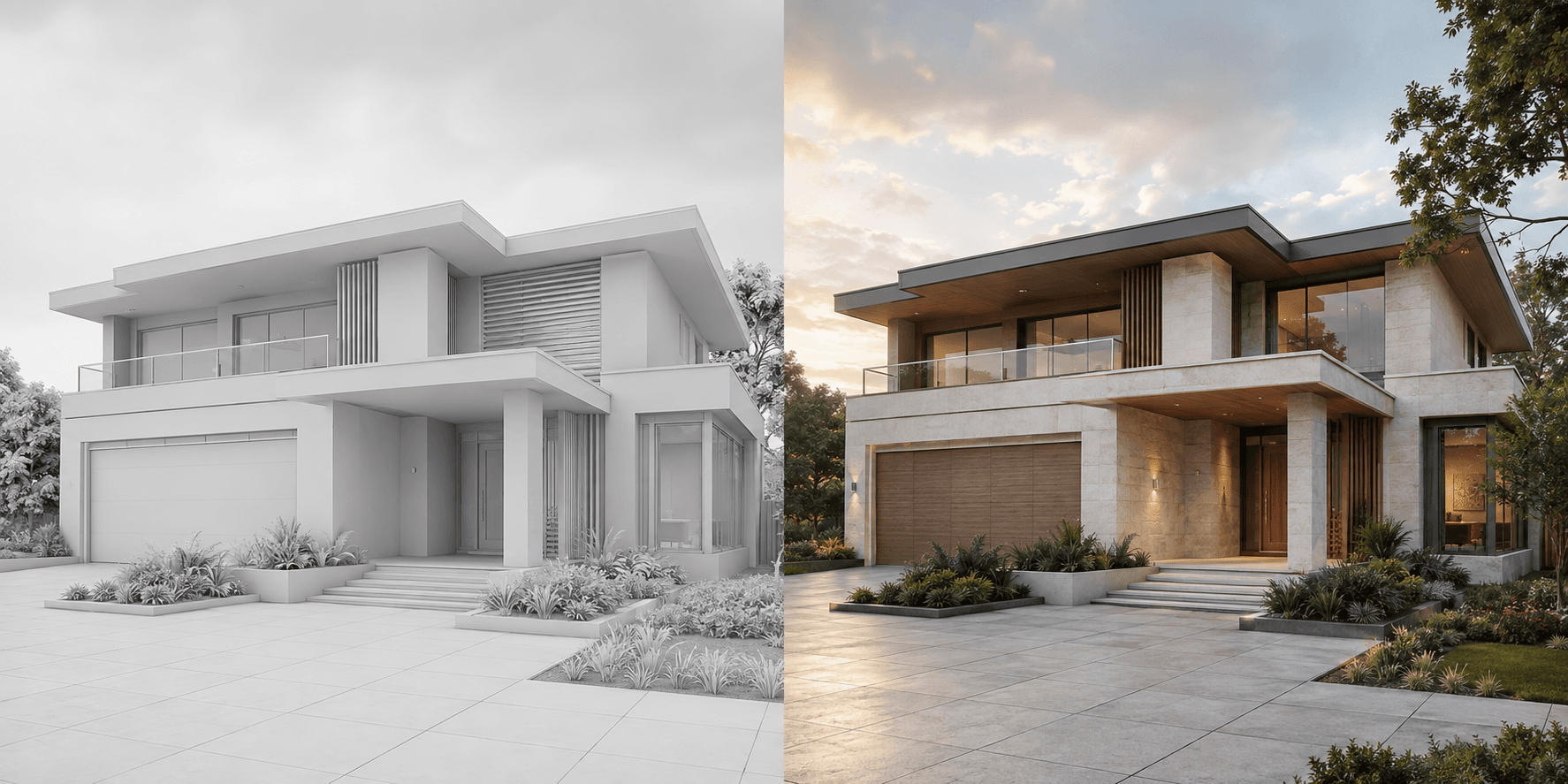
AI-assisted and traditional rendering solve overlapping but different problems. AI-assisted visualization is strong when teams need to explore or communicate a direction quickly from an existing image. Traditional rendering is stronger when the project requires repeatable cameras, precise asset control, coordinated animation and a scene that can be updated systematically.
How do the workflows compare?
| Requirement | AI-assisted visualization | Traditional rendering |
|---|---|---|
| Early concept speed | Strong | Requires more setup |
| Exact scene control | Image-led and interpretive | Strong object-level control |
| Material exploration | Fast visual alternatives | Precise reusable materials |
| Multiple coordinated cameras | Reviewed one image at a time | Built from one controlled scene |
| Long animation | Best for short image-led clips | Best for planned sequences |
When is AI-assisted rendering the better fit?
Use it when the immediate goal is to test a façade palette, bring an early sketch into a client discussion, stage an interior direction or create a polished visual from a model screenshot. It is especially useful before the team knows which option deserves a complete conventional scene.
The source image should already contain the design structure. The output is reviewed visually against that source rather than controlled through a scene graph of individual objects and materials.
When is traditional rendering the better fit?
Use a conventional renderer when the project needs exact product assets, many coordinated camera views, controlled lighting studies, repeatable updates across a changing model or long-form animation. That setup takes more time but gives a specialist direct control over the scene.
What does a hybrid workflow look like?
- Use sketches or clay-model views to explore the visual direction.
- Choose the materials, atmosphere and views that communicate the project best.
- Use AI-assisted images for early reviews and selected presentation needs.
- Build a controlled traditional scene when the project requires coordinated final production.
This is not a contest between tools. It is a sequencing decision. Use the least expensive workflow that can answer the current question, then add control when the deliverable genuinely needs it. Explore AI architectural rendering or the specific model screenshot workflow.
Common questions
Does AI rendering replace traditional rendering?
Not in every workflow. Traditional rendering remains valuable for exact scene control, coordinated cameras, reusable assets and long animation.
Which is faster for early concepts?
AI-assisted visualization can be faster when a clear sketch, model screenshot or property photograph already exists.
Can both approaches be used on one project?
Yes. Teams can use AI-assisted visualization for early direction and conventional rendering for deliverables that require more exact, repeatable control.