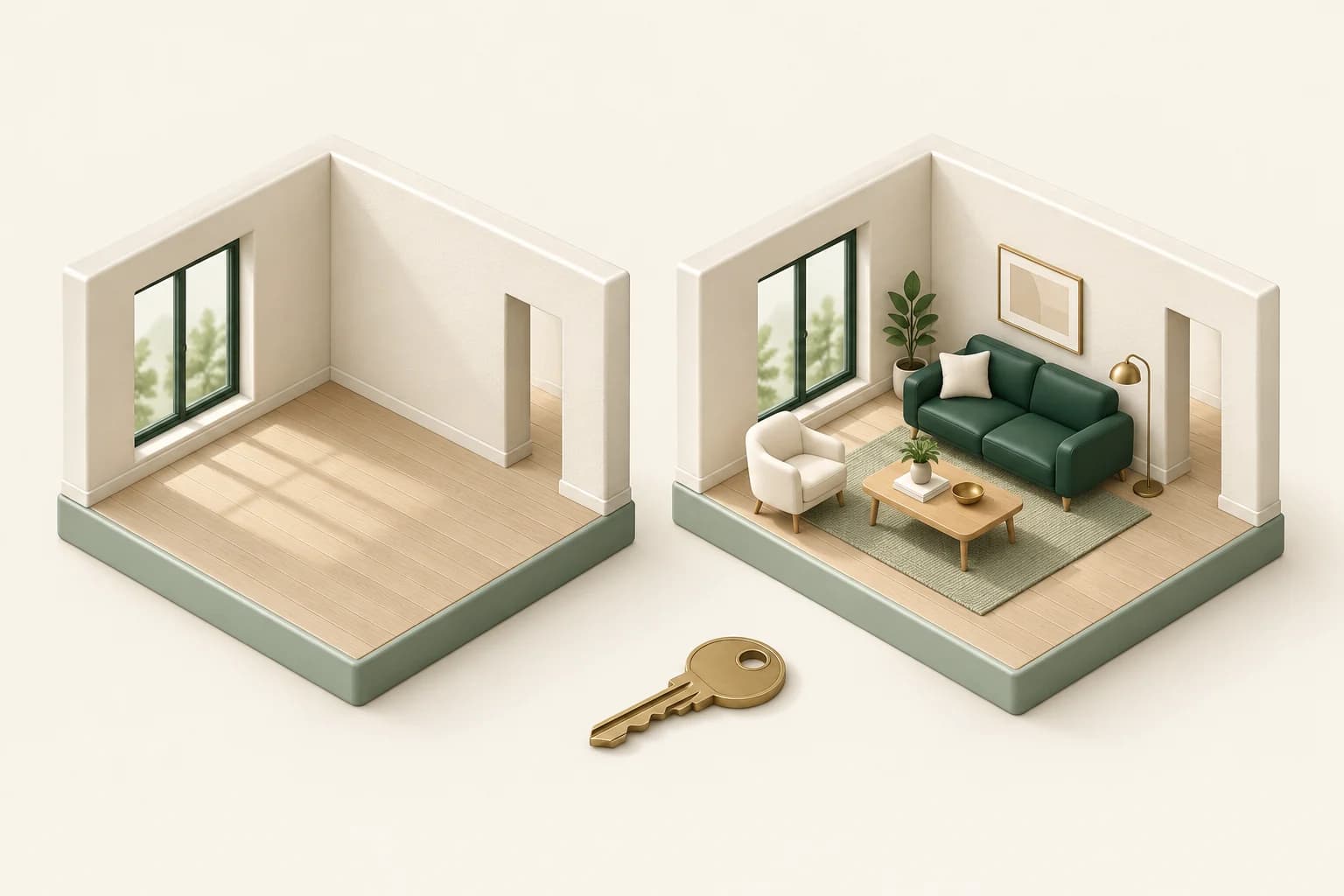
An empty room in a property listing and a room that needs a new design may start with the same photograph. They need different instructions.
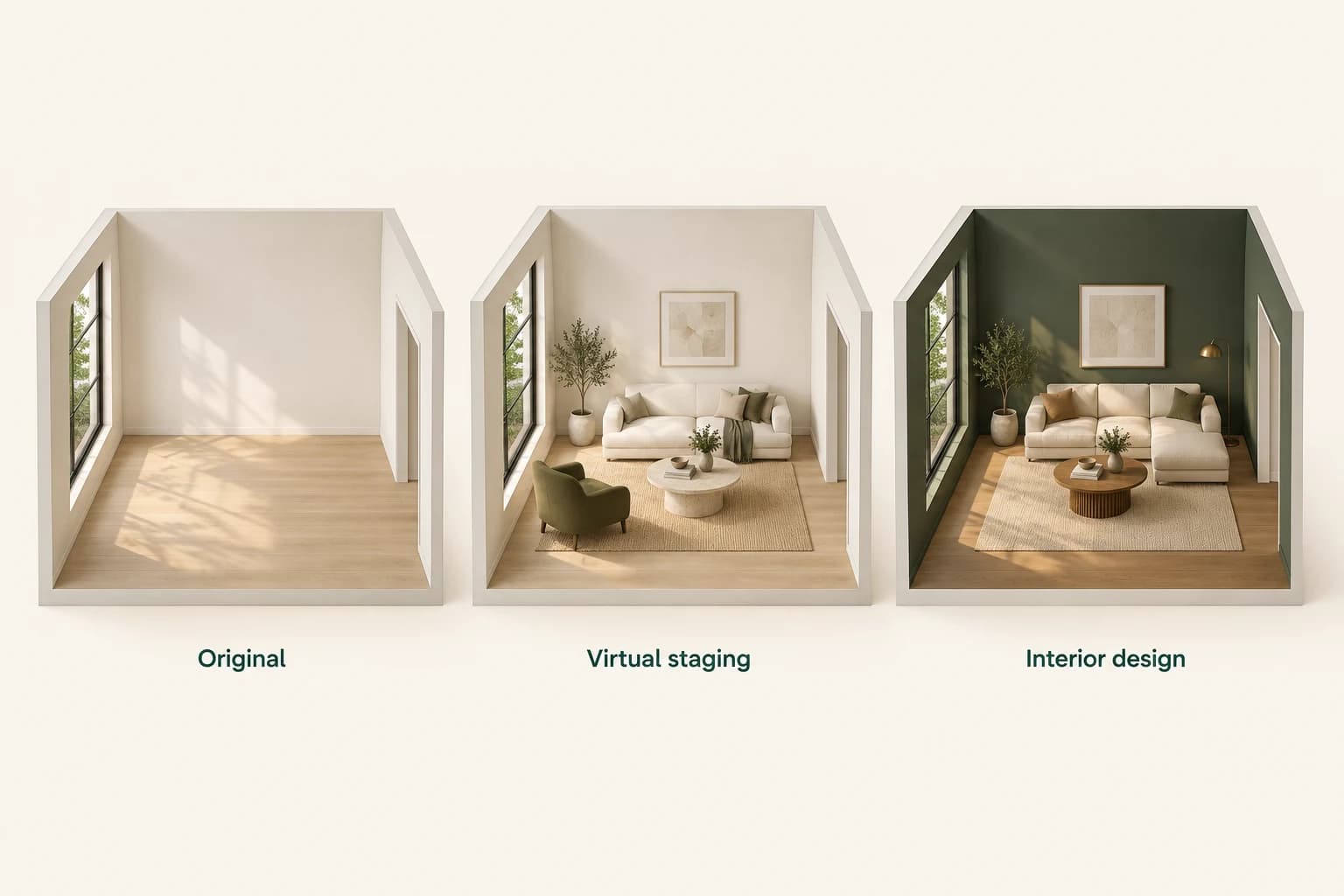
Virtual staging helps someone imagine how an existing space could be furnished. Interior design explores how that space could change. The distinction matters because it determines which features should stay fixed, what the image communicates and how you should describe it to a buyer or client.
Propviz has separate Virtual Staging and Interior Design workflows. Here is how to choose between them and write a brief that matches your purpose.
Use virtual staging to explain an existing room
An empty room does not always make its use obvious. Furniture can help show where a seating area might sit, how a dining space could work or how a bedroom could feel when furnished.
For listing-focused staging, treat the property's fixed features as the reference. The windows, doors, walls, floor finish, built-in cabinetry and permanent fittings should remain recognisable and unchanged. Add a plausible furniture arrangement around them.
The goal is not to make the property appear renovated. It is to help someone picture a possible use of the space they are considering.
AI output still needs checking. Choosing a staging workflow is not a guarantee that every architectural detail will be preserved perfectly. Compare the result with the source photograph before using it.
Use interior design to explore a proposal
Interior design starts with a different question: what could this room become?
You might want to compare a warmer palette, different wall finishes, new furniture or a more minimal visual direction. Those are useful design explorations, especially when someone finds it difficult to describe a preference in words.
Be explicit about the boundary of the proposal. If the discussion is about colour and furniture, keep the layout and built-ins fixed. If a finish is intentionally changed, identify it as a proposed change when presenting the image.
A concept image is not a specification, a measured furniture plan or confirmation that a renovation is feasible. Use it to support the conversation, then verify dimensions, products and technical requirements separately.
Choose the workflow from the question you need to answer
Use Virtual Staging when the question is “How could someone furnish this property as it exists?” It suits a listing photograph of an empty or sparsely furnished room where the building itself is not the subject of a redesign.
Use Interior Design when the question is “Which design direction should we explore?” It suits a client presentation, a room makeover concept or a comparison of palettes and finishes.
If you are marketing a property and also showing its renovation potential, keep those two sets of images clearly separate. A staged view and a renovation concept should not be presented as interchangeable evidence of the property's current condition.
Start with a photograph that shows the room clearly
Use a well-lit view that includes enough of the walls, floor and openings to explain the space. Avoid a crop that cuts through the main window or hides the door. Extreme wide-angle distortion can also make it harder to judge furniture proportions.
Decide what must stay before choosing a style. A list such as “keep the oak floor, white walls, window frames and built-in shelves” is more useful than asking for an impressive room with no boundaries.
You should have permission to use the source photograph, including permission to create and publish altered versions where relevant.
Write different briefs for the two jobs
For virtual staging, an example brief might be:
Furnish this living room with a compact cream sofa, one olive-green armchair, a simple coffee table and a neutral rug. Keep the existing floor, wall colour, windows, doors, built-ins and camera view unchanged. Leave a clear route through the room.
For an interior design exploration of the same room, the brief might be:
Explore a warm contemporary living room with muted green walls, natural oak accents and cream upholstery. Keep the room layout, openings, built-ins and camera view. Treat the new wall colour and furniture as a proposed design direction.
These are example instructions, not promises that a model will execute every detail without error. The first protects existing finishes. The second deliberately invites a particular finish change. Both define what should remain fixed.
Review the result from large features to small details
Begin with the room itself. Have the windows moved? Has a doorway disappeared? Does the floor still match? Then inspect furniture scale, overlaps, reflections and routes through the space.
A sofa that appears to fit in an image is not proof that the real product will fit. Check room and furniture dimensions separately. For listing use, reject changes that would misrepresent the property rather than treating them as harmless visual polish.
Keep the original photograph alongside the approved result. Clearly label virtual staging and design concepts, and check the rules of the listing service and jurisdiction where you publish. A caption should explain what the image represents; it should not leave a viewer to guess which parts exist today.
Make the next conversation easier
The right workflow follows the job the image needs to do. Stage an existing room to communicate a possible furniture arrangement. Explore an interior design to discuss a proposed direction. In both cases, the original space remains the reference against which the output should be reviewed.
Explore staging and interiors in Propviz, then choose the separate workflow that fits your project. You can start with five free preview credits; Pro unlocks downloads. See the current pricing before generating.
Common questions
Can virtual staging change the flooring
For an existing-property listing, keep the flooring as it is. If you want to explore a replacement floor, treat that as an interior design proposal and label it accordingly.
Can a generated image prove that furniture will fit
No. Use actual measurements and product dimensions. A generated arrangement is a visual concept, not a scale-verified plan.
Should I keep the original photograph
Yes. Retain it for comparison and review, and make the relationship between the original and altered image clear when presenting the work.