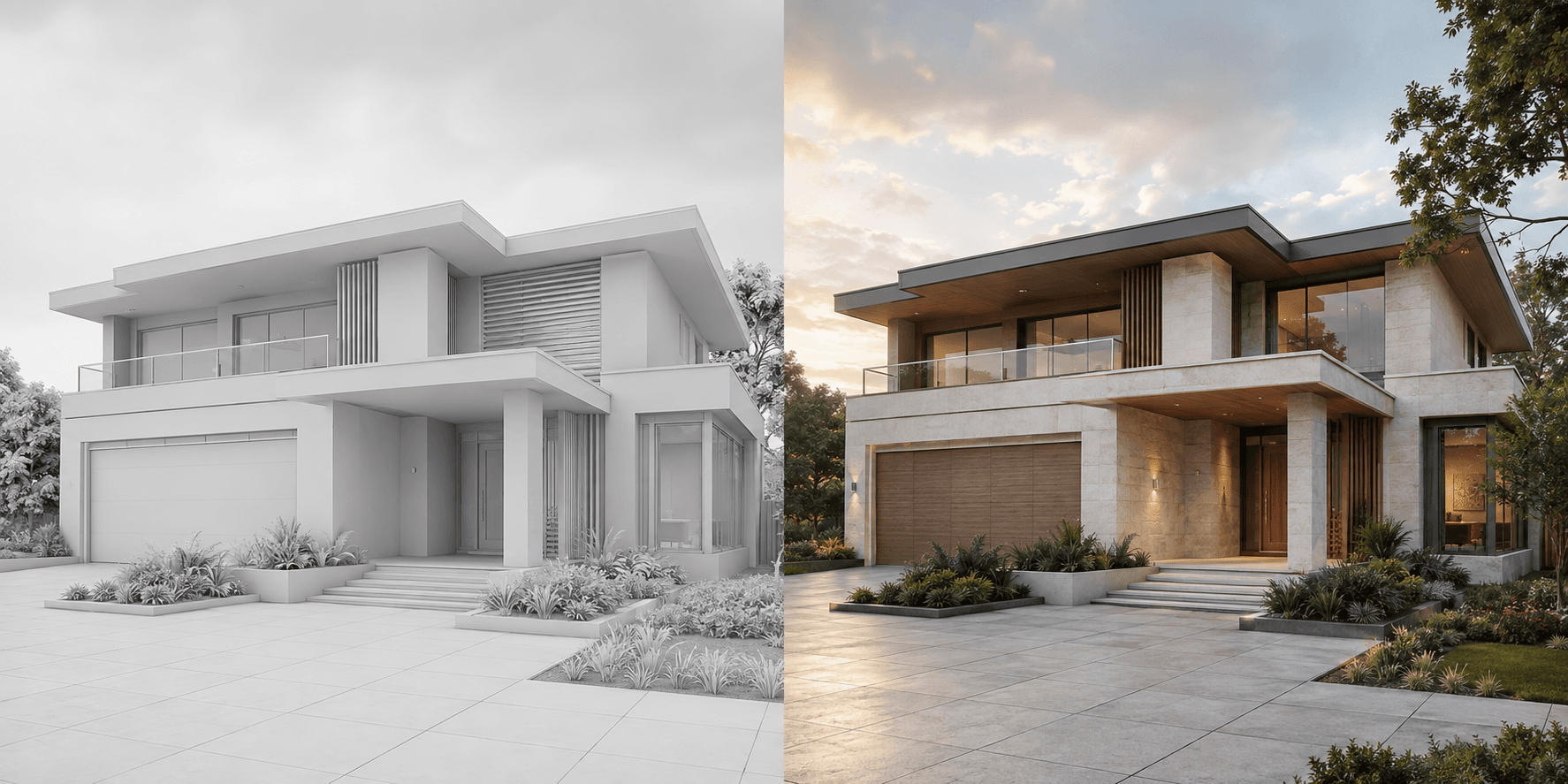
A client review can drift when every image introduces a different building, camera angle or atmosphere. The meeting starts as a discussion about the entrance and ends as a debate about a sunset.
For architects, a useful AI rendering workflow is narrower: take a controlled view of the current design, explore a defined visual question, and return to the model when the answer affects geometry. Propviz fits between the exported model view and the presentation, not in place of the model itself.
Choose one question and one view
Start with the decision the client needs to make. Perhaps the entrance should feel more sheltered, or the facade needs a warmer material balance. Select a view that makes that question visible.
For a material comparison, use the same camera, building geometry and daylight in each option. If the question is about the massing, update the model first. Asking an image model to invent a different roof and then treating the result as a resolved design creates more checking work later.
In SketchUp, export the chosen view as a PNG or JPEG through the 2D Graphic export workflow. Keep the native model and its revision separately. In other CAD or BIM software, use the equivalent image export from your selected view.
Pick the right source for the design stage
Propviz's Architectural Rendering workflow accepts images of model views, clay renders and sketches. It does not import a native model and retain its geometry as editable objects.
A clay view is useful when the building form is resolved enough to discuss material and light. A sketch can support an earlier conversation, but any ambiguous line gives the model more room to interpret. Neither input removes the need to compare the generated image with the design.
Crop away software controls and unrelated drawing information. Keep the full area being discussed in frame. A clean source should explain the proposal rather than relying on the prompt to describe hidden architecture.
Write a constrained material brief
Use specific architectural language instead of broad requests for luxury or realism. Name the intended materials, where they belong and what must remain unchanged.
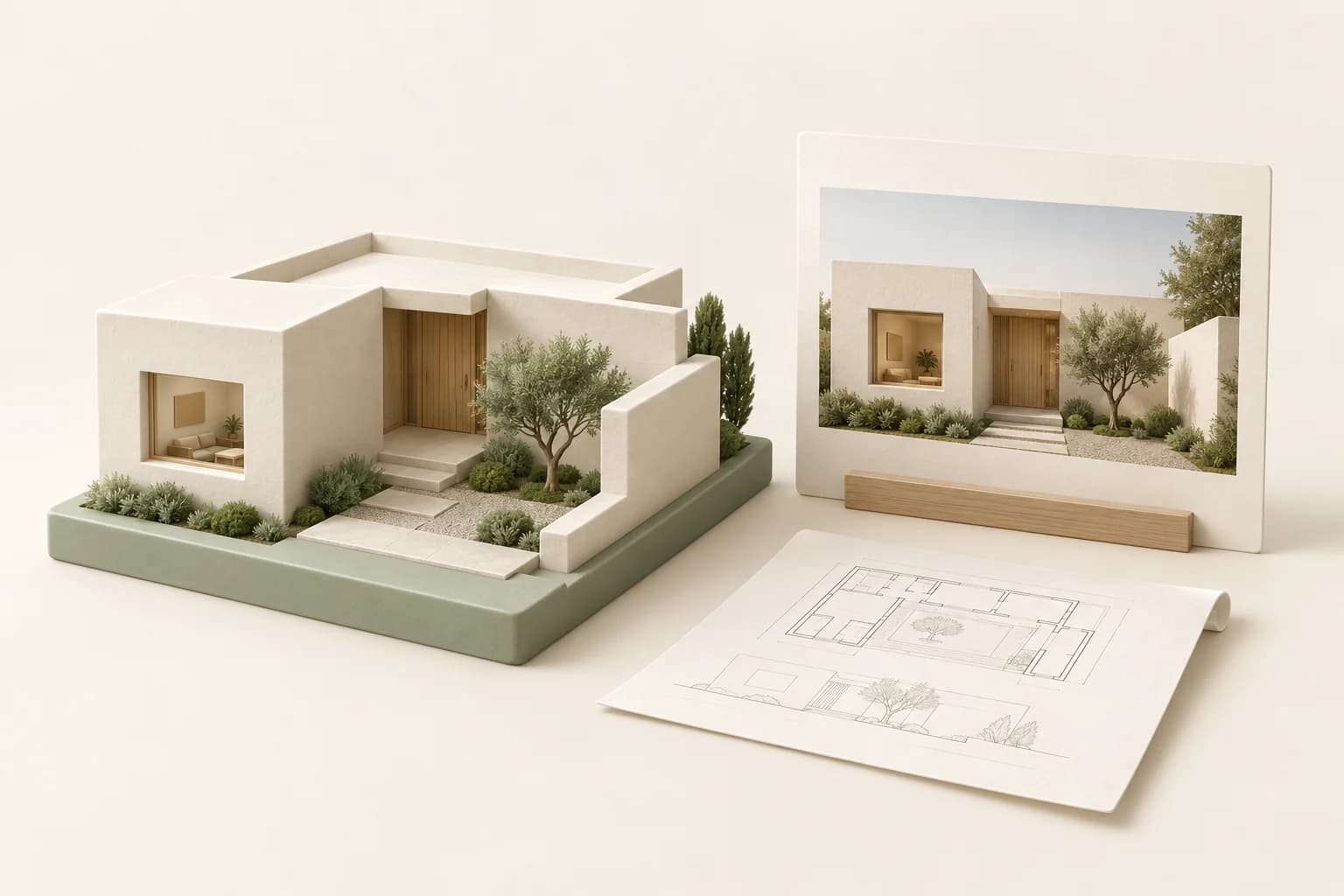
Visualise this courtyard house in soft overcast daylight. Use pale limestone on the main facade, vertical oak at the recessed entrance and dark bronze window frames. Preserve the massing, roofline, opening sizes, structural elements and camera view. Keep planting low so the entrance remains visible. Do not add floors, balconies or new openings.
For a second option, change the material under review while leaving the rest of the brief alone. Save the outputs with the source revision and a plain option name. Avoid names such as “final” until the team has actually accepted the proposal.
Review the building before the atmosphere
Check the output in an order that reflects design risk. Begin with massing, floor count, roof geometry and openings. Then inspect columns, balustrades, steps and material boundaries. Finally, consider light, planting and visual finish.
A prompt that says “preserve geometry” is a constraint, not a guarantee. If the model has widened a window or removed a structural element, revise or reject the result. The geometry review guide gives a more detailed checking sequence.
If the review depends on walking through a connected model, use a model-based tool. Enscape provides real-time walkthroughs linked to CAD and BIM workflows. That is a different task from generating a convincing still image, and an important reason to keep both kinds of tool available.
Build a small review set
A concise concept presentation can contain the source view, two material options and a short note explaining the decision. Show the same view at the same size. Keep a plan or relevant technical drawing close by when it helps explain something the perspective conceals.
Select only the checked images for a shared presentation. Label them as concept visualisations and note any important assumptions. Record client comments against the option name so the next model revision has a clear basis.
You can also turn an approved image into an AI motion study using Propviz's image-to-video workflow. Use that for atmosphere or a presentation opening, not as proof of a route through the building. Review the motion for new geometry errors and keep the still images available for the actual decision.
The meeting should finish with a decision about the design, not just a favourite picture. Take the agreed changes back into the model, drawings and specification. That is where the concept becomes a coordinated architectural proposal.